Tuesday, August 18, 2009

Consultation, If You Need Questions Answered By A CPA!

This is a good way to get some questions answered. If you
are a CPA this could be a way to build a list of clients.
You can get to know them, offer them a free news letter
about some of the common questions and answers. How a CPA
can help them with their business needs?

This is a good service to offer people. It can grow your
business as a CPA. People have questions about starting a
business! Making changes in your business that you need
question answered right away! Tax time is the biggest time
for questions.

A CPA is an e-mail away. Online tax consultation is now
readily available thanks to the participation of numerous
CPA’s. When tax time comes around, many people have
numerous questions and they don’t always know a CPA they
can ask, or sometimes they cant take the time off work to
go visit one.

(Click to see the video)


Now, there are CPA’s willing to dispense their advice day
and night to those willing to ask. Now there is no excuse
or reason not to ask those questions.

Though there is a slight cost to the online consultation,
it is unreasonably low. Some sites even offer you a free
trial or even 2 free questions a month. It doesn’t get much
more affordable than that.

You get to establish a CPA-client relationship in a
comfortable environment, online in your own home. If you
like the CPA you are working with, you are able to work
further with them, if not, you are then able to seek out
others who may better fit your personality and needs.

What happens is when you are ready to ask a question, you
log into the system as a member and ask the question. You
typically have CPA’s to choose from and the chosen CPA will
respond to you within about 3 days.

You will receive an email notification when your question
is answered, but it is good to check back regularly until
your question is answered. This is a very beneficial
service and anyone with a tax question should take the time
to set up an online tax consultation.

If you need questions answered by a CPA or you are a CPA
This is a great way to get help or give the help that is
needed.

Please leave your comments. We love reading them.

Dan and Deanna "Marketing Unscrambled"

Monday, August 17, 2009

To Create Your Own Website Designs, You Will Need These Tools!

Although Web 2.0 design is different from its predecessors,
practically the same programs are still used in creating
them. Newer versions of course have different features, but
these programs remain essentially the same.

If you would like to create your own website designs, here
are some tools that you will need.

1. Photoshop

- is probably the most ubiquitous graphics-editing software
on the entire planet. It is used by amateurs, web designers
and professional photographers alike. Since it was created
in 1987 by Thomas Knoll, it has since become the market
leader in the web design world.


2. GIMP

- is short for GNU Image Manipulation Program. It is a
program used for graphics editing just like Photoshop.
Although it is not considered as a clone of Photoshop,
there has been a lot of comparison between the two. GIMP
supports a lot of Photoshop’s files and performs a lot of
tasks that Photoshop can also do. But their great
difference? GIMP is for free and Photoshop is not.

3. Illustrator

- is a vector graphics editor than can be used in creating
logos, typography and other images. Just like other
programs of its kind, it allows images to be resized
without degradation.

4. CorelDraw

- is another vector graphics editor that is widely used by
graphic designers. It has been used by professionals since
its release in 1989.

5. Flash

- is also a vector graphics editor but is more geared
towards creating animated graphics. It can also be used in
creating games and even entire websites.

Thank you for visiting. Please leave a comment. We love to read what you have to say.

Dan and Deanna "Marketing Unscrambled"

Thursday, August 13, 2009

Choosing The Right Font For You Website!

The font is a critical factor in creating a website. For
one, it will either make it easy or difficult for your
readers to read the content of your website.

Another thing is that, it also says a lot in the overall
design of your website. It is therefore important to choose
a font that is legible and pleasing to the eyes as well.

Here are some factors that you should consider when
choosing fonts for your website:

1. Font size

- this is an important consideration when choosing a font.
You should determine what font size will do the job that
you expect it to do. For your overall content, you should
make sure that they are big enough to be readable by
average readers.

Also make the size varied for different elements such as
the content, the headline and the header. Also consider
offering an option for changing the font sizes for the
convenience of your readers.

(click to see the video)


2. Font type

- apart from the graphics, the font type also says a lot in
the overall design of your website so you should choose
your font type carefully. In general, fonts used nowadays
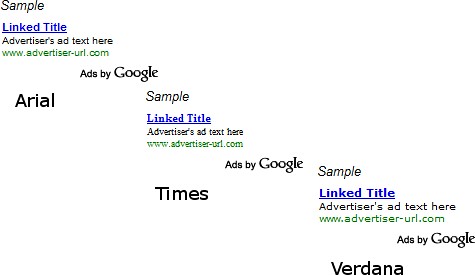
are sans serif fonts which are easier on the eyes. Arial is
probably the most widely-used of these sans serif fonts.


3. Color

- once you’ve got the color scheme of your entire website
figured out, choosing the color of your font would be a
breeze. However, keep in mind that the color should
contrast well enough with the background so that it will be
easy to read.

Have you tried these things before? How did they work for you? Did they help your website or blog? We would like to know how they did for you? Leave your comments.

Dan and Deanna "Marketing Unscrambled"
Wednesday, August 12, 2009

The Basics Of Good Web Design For Now And In The Future!

A good web designer is able to create great designs long
after the phenomenon called Web 2.0 has passed. It is true
that becoming good at web designing takes years of
experience.

However, it is also rooted in learning the fundamentals
well. Time has proven that the basics work and they should
always be the most important tools that any designers
should have.

Here are some basic skills that help one become a good web
designer.

1. Subtlety

- each era will have its own sense of style. Amateurs will
always exploit the new trends and use it on every occasion
possible. But this makes designs look amateurish and tacky.
Great designers, on the other hand, learn the new styles
and keep its use to a minimum.

(click to see the videos )


2. Simplicity

- this is somehow connected with the first skill.
Simplicity is not making things bare and dull, but it is
making things work. A simple design will always have its
timeless appeal and it will always help new visitors of
websites navigate the site easily.


3. Willingness to Learn

- another good thing about great designers is that they
never cease to learn. For them, there is something new to
pick up everyday. The willingness to learn helps designers
stay fresh and relevant even styles and tastes have
changed.


The things listed above seem easy enough to follow.
However, things are different in the real world. There will
always be the temptation to design like the rest. But as
always, great designers will always find ways to stand out.

We hope that you learned today. Please leave your comments.

Dan and Deanna "Marketing Unscrambled"

Tuesday, August 11, 2009

So You Need A Product Box, Make One!

Product boxes give your website’s visitors a glimpse at the
products that you sell such as books and software. It helps
in selling your products because customers prefer an image
of the product they’ll buy over simple descriptions.

There are several software out there that can automatically
generate a product box for you. This is good if you have no
time to devote in making boxes. However, it is always
better to learn things by yourself.

Want to create your own product box? Here’s how.

1. Open your favorite graphics editing software.

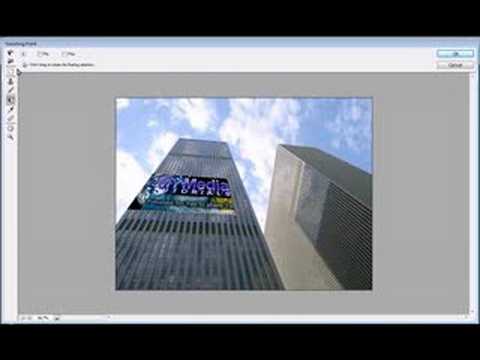
2. Place the images of the front and side of the box on the
working area.

3. Remember that giving the illusion of a perspective is
the key to making a convincing product box.

4. Place the front image on the right side. Skew the upper
and lower portions of it so that the left side of the image
is taller than the right.

5. Align the image of the box’s side with the left side of
the front image.

6. Skew the upper and lower portions of the side image so
that its right side is taller than the left.

7. Adjust the angles of the front and side images so that
they form a box that is seen from the corner.

8. Add a shadow or a reflection to create a 3D effect for
your image.


9. Save your work into an image format. Also make sure to
save your source file just in case you need to edit the
image in the future.

(click to see the video)

We like to read the comments, please leave one.

Dan and Deanna "Marketing Unscrambled"
Monday, August 10, 2009

Using Images And CSS In Your Websites!

Boxes with rounded corners are a staple of Web 2.0 design.
While rectangular shapes are better used on professional
websites, rounded boxes are more suited for websites that
aim to look playful, modern and experimental.

The boxes can be used in the design in a number of ways.
These include the header and the content. What’s great with
them is that they can divide the page into several parts
without actually using borders.

Here are some ways by which you can use rounded corners on
your website design:

1. Use images

- this is probably the easiest way of adding rounded boxes
on your web page. All you have to do is create a rounded
box using your favorite graphics editor, save it and use it
as a background image for the portion of the page of your
choice.

However, the images you use can add kilobytes to your page
which spells slower load times for users and higher
bandwidth usage on your part which is especially important
if you are paying hosting fees for your site.

(click to see video)


2. Use CSS

- Cascading Style Sheets is another way of creating rounded
boxes for your website. The great thing about this is that
since you’re only using a style sheet to create these
boxes, it eats up less bandwidth and the page loads faster.

This however, requires a reasonable amount of skill on
creating style sheets. There are a good number of websites
that deal with this which should be enough to help
beginners out.

Please leave your comments. We like to read them.

Dan and Deanna "Marketing Unscrambled"